
The Ajebet Kenya mobile application delivers a complete betting and casino experience optimized for Kenyan networks. Available for both Android and iOS devices, the app offers instant M-Pesa transactions, live betting markets, push notifications for bet settlements, and offline bet slip preparation. Download takes under two minutes on Safaricom or Airtel connections.
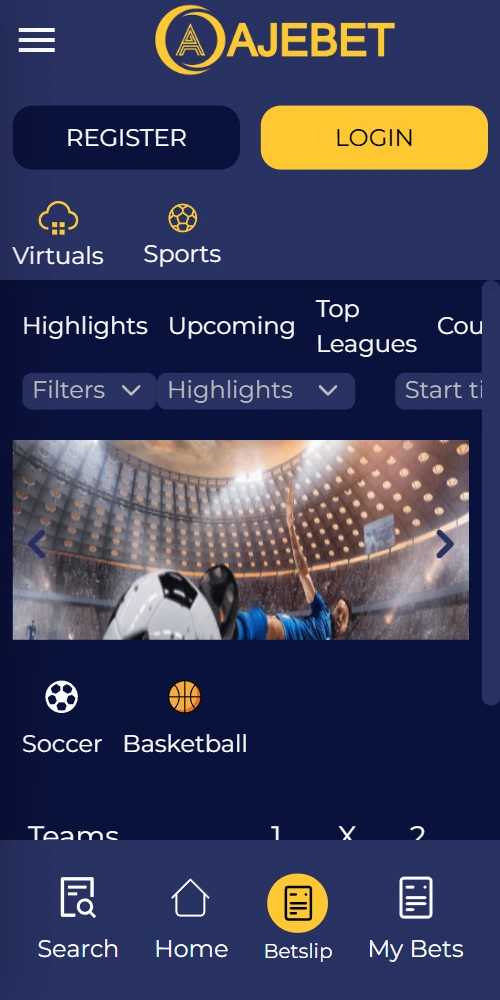
The Android version isn't available through Google Play Store due to their gambling app restrictions. Direct download from the Ajebet Kenya mobile site takes 30-45 seconds depending on your connection speed. The APK file size sits at approximately 38 MB, manageable even on slower networks.
Open your mobile browser and navigate to ajebetkenya.com. Tap the Android download button prominently displayed at the top of the page. Your browser will prompt you to allow downloads from unknown sources—this is a standard security measure you'll need to approve in Settings. Once the APK downloads, open the file from your notifications panel. The installation wizard guides you through the process; it typically concludes within 60 seconds. After installation completes, launch the app and either sign in with existing credentials or register a new account directly through the mobile interface.
The app requests certain permissions during first launch—location services for verifying you're within Kenya, storage access for caching game data, and notification permissions for bet alerts. Granting these improves functionality but isn't strictly mandatory if you have privacy concerns.
iOS users face slightly different procedures since the app isn't listed on the App Store. Apple's restrictions around real-money gambling apps mean you'll install via enterprise certificate or web app configuration.
Visit ajebetkenya.com using Safari on your iPhone or iPad. Locate the iOS download button and tap it; you'll be redirected to a configuration profile page. Tap "Allow" when prompted to download the profile, then navigate to Settings → General → VPN & Device Management. Find the Ajebet Kenya profile and tap "Install," entering your device passcode when requested. Trust the developer certificate by tapping "Trust" on the subsequent screen. The app icon appears on your home screen within moments.
First launch might display an "Untrusted Enterprise Developer" warning. This resolves by visiting Settings → General → Device Management again and verifying the certificate. Subsequent launches work without interruption.
The mobile app mirrors full desktop functionality while adding smartphone-specific advantages. Performance optimization for Kenyan cellular networks means faster load times even on 3G connections in regional areas.
Deposit and withdraw using M-Pesa directly within the app. Transactions process in 5-15 minutes with no additional verification steps required after initial KYC approval.
Access in-play markets with real-time odds updates. The interface refreshes odds every 3-5 seconds during active matches, faster than most competitor apps.
Receive alerts for bet settlements, bonus offers, match starts, and significant odds movements. Customize notification preferences in app settings to avoid notification overload.
Prepare bet slips while offline; they submit automatically once connectivity restores. Useful in areas with unstable network coverage common outside major cities.
Play 600+ slots, live dealer games, and crash games including Aviator. Graphics quality adjusts automatically based on your connection speed to prevent lag.
Review past bets, track profit and loss, export betting statements for tax purposes. Data syncs across devices so your history remains accessible whether using phone or desktop.
The Android app requires version 5.0 (Lollipop) or newer, covering approximately 97% of devices currently used in Kenya. Storage space needed is 38 MB for the app itself plus up to 100 MB for cached data depending on usage patterns. RAM requirement sits at 2GB minimum, though 3GB or more provides smoother performance during live betting sessions.
| Android Version | 5.0 (Lollipop) or higher |
| iOS Version | 11.0 or higher |
| App Size (Android) | 38 MB |
| App Size (iOS) | 42 MB |
| Storage Space Required | 150 MB (including cache) |
| RAM Requirement | 2 GB minimum, 3 GB recommended |
| Internet Connection | 3G minimum, 4G/WiFi recommended for live betting |
| Screen Resolution | 720x1280 minimum |
| Supported Networks | Safaricom, Airtel, Telkom Kenya |
For iOS, compatibility starts with version 11.0, supporting iPhone 5S and newer models plus all iPad models from 2014 onward. The iOS build weighs 42 MB, slightly larger than Android due to Apple's packaging requirements.
While the mobile website remains fully functional, the dedicated app offers measurable performance improvements. Load times average 40% faster in the app compared to browser access, particularly noticeable when navigating between sections or loading live betting markets.
Most serious punters prefer the app experience once they've tried both options. The convenience of biometric login alone saves 10-15 seconds per session, meaningful when placing quick bets on live markets where odds shift rapidly.
 Download for Android
 Download for iOS